Proof you can watch
Claim a domain and prove you control it with one DNS TXT record. The check asks your nameservers directly and shows its five steps as they land. Every failure has a name, a reason and one next action.
What goes wrong
I started with the ways verification fails, before any screen: a resolver that caches "no record" for an hour, DNS panels that add the domain twice, half-pasted values, the wrong record type, wildcards, dead nameservers, expired tokens. Each one needed its own answer.
- IETF domain verification draftA scoped underscore label, the expiry inside the value, and asking the zone’s own servers.
- RFC 2308How long a resolver keeps saying "no record" after it looked too early.
- RFC 8555 DNS-01How certificate authorities prove control of a domain.
- RFC 8552Why an underscore label can’t collide with a real hostname.
- Five productsHow Google, GitHub, Vercel, Atlassian and Cloudflare verify, and what their errors say.
- A deployed probeDirect queries from the host, the doubled name, split TXT values and timeouts, measured.
Ask the source
The check asks the zone’s own nameservers, which don’t cache. A record is found as soon as the DNS host publishes it, so there is no "wait 48 hours" anywhere in the product.
Whose move is next
The first check on a new claim always misses, and a red cross there would call that a fault. So every step sorts by whose move is next: yours (amber), time’s (cyan), or done (green). There is no red.
Claim, then prove
A pending claim holds nothing, so anyone can start one. One account holds a name at a time, and the database enforces it, so a race can’t get around it.
Progressive disclosure
The claim page shows the step the person is on and nothing after it. The check’s steps land one at a time. Finished cards dim and stay above, one scroll away.
Try it
It’s the live app, and everything is clickable. The buttons underneath load each demo state.
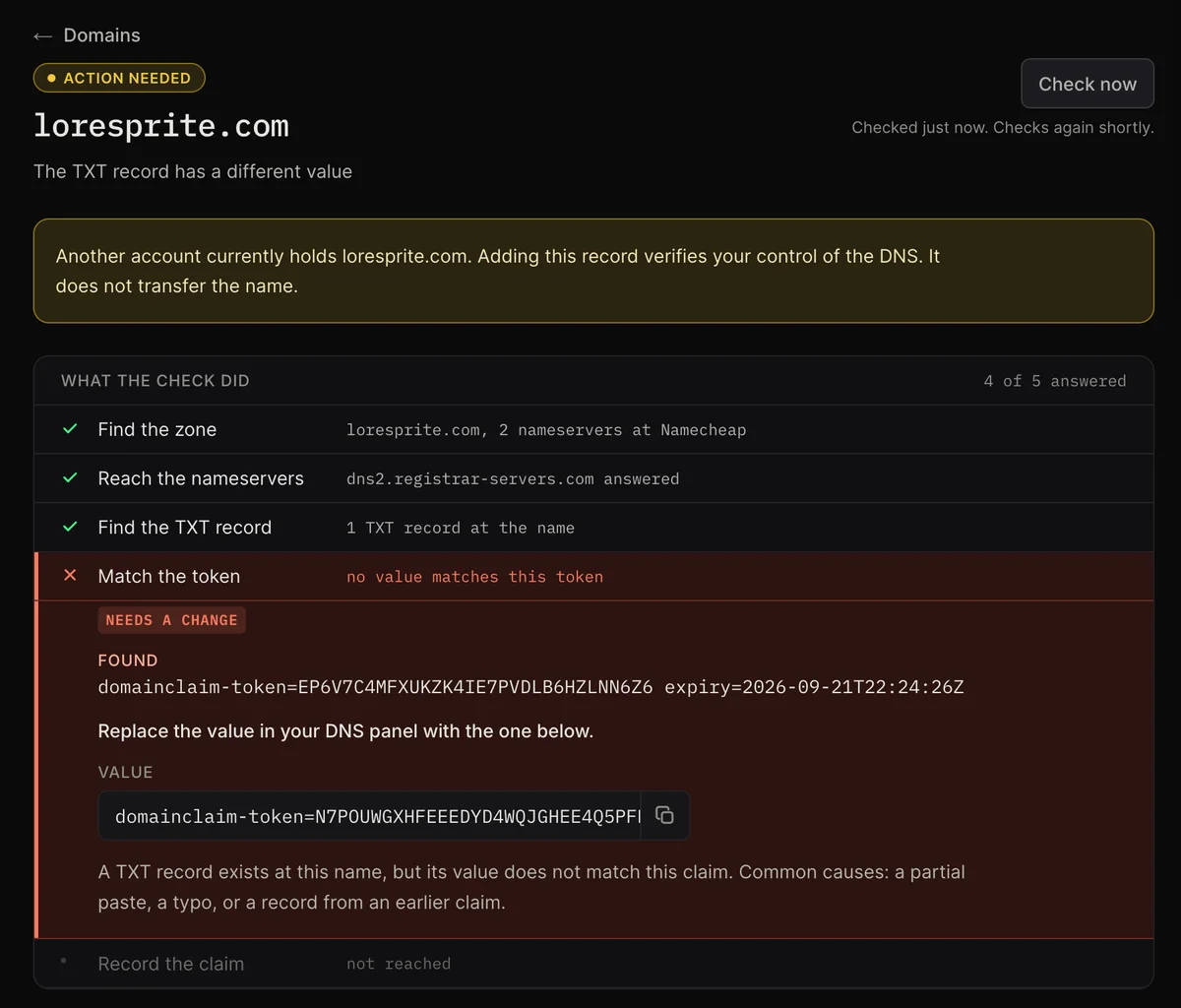
The domain was added to the name twice
Only real states
Every state in the design was checked against the backend’s real types. What the app can’t reach was cut, and a promise in the copy became build work or the copy changed. The stack came last, with one rule: pages never load data.
- Waiting is never drawn as a fault.
- Cables only where there is a sequence, and straight.
- Past cards dim. Future cards are absent.
- The pulse runs only where the check is.
- Copied is a word, never a tick.
- Every state shown is one the app can reach.
- On a phone, a row that scrolls sideways never wraps.
For the code reader
DNS sits behind an interface with a scripted fake, so no test touches the network. Failures are values in a typed union, and the message switch is exhaustive: a new failure breaks the build until it has words. An RFC leads the code, and a friction log records every problem I hit using it against real domains.
Each claim shows its site’s real favicon. The server fetches it under tight limits: public addresses, two redirects, raster images, since an SVG can run script. A site without one gets a globe. In the demo, the rail shows real icons next to the .test names, which get the globe.
export type FailureReason =
  | { code: 'record_not_found'; queriedName: string;
      nameservers: string[]; negativeTtlSeconds: number | null }
  | { code: 'no_txt_at_name'; queriedName: string }
  | { code: 'appended_zone_suspected'; queriedName: string; foundAt: string }
  | { code: 'value_mismatch'; expected: string; found: string[] }
  | { code: 'token_expired'; expiredAt: Date }
  | { code: 'nameservers_unreachable'; attempted: string[]; timeoutMs: number }
| { code: 'zone_not_found'; walked: string[] };- src/lib/dns/trace.tsAsks DNS and reports what each server said.
- src/lib/claims/evaluate.tsCompares that with the claim and decides what the row should do.
- src/lib/claims/steps.tsTurns a check into the five steps.
- src/lib/claims/messages.tsEvery failure as title, value, action and reason.
- src/lib/dns/testNames.tsScripts the demo names.
Two passes
The design came in two passes. The first was close to a wireframe: what the product shows, when, and how each step behaves. I built the engine under it and tested it against real domains.
The second pass happened away from the codebase, in HTML prototypes only, and was then applied to the working product. The screens changed. The DNS layer and the claim rules stayed as they were.
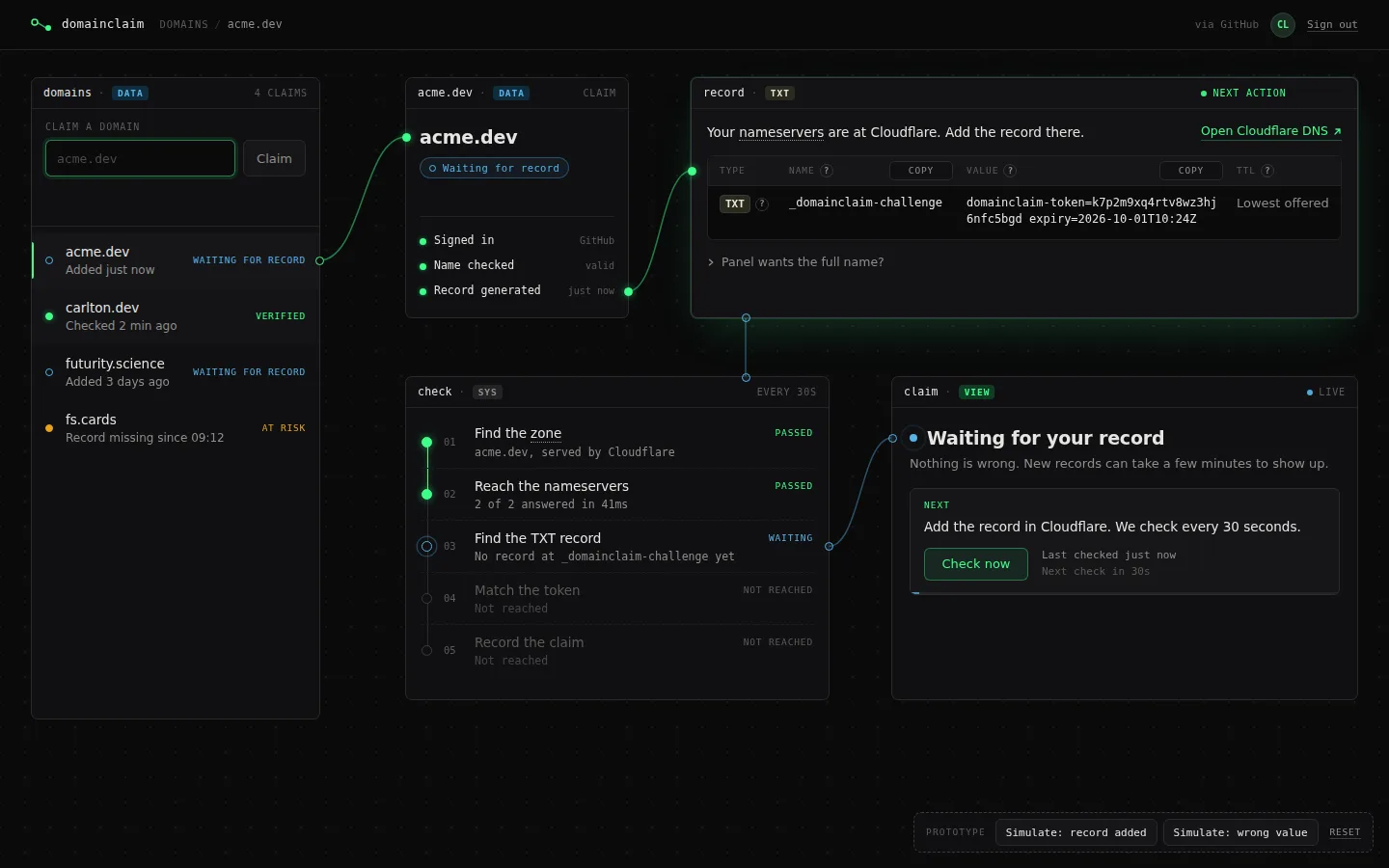
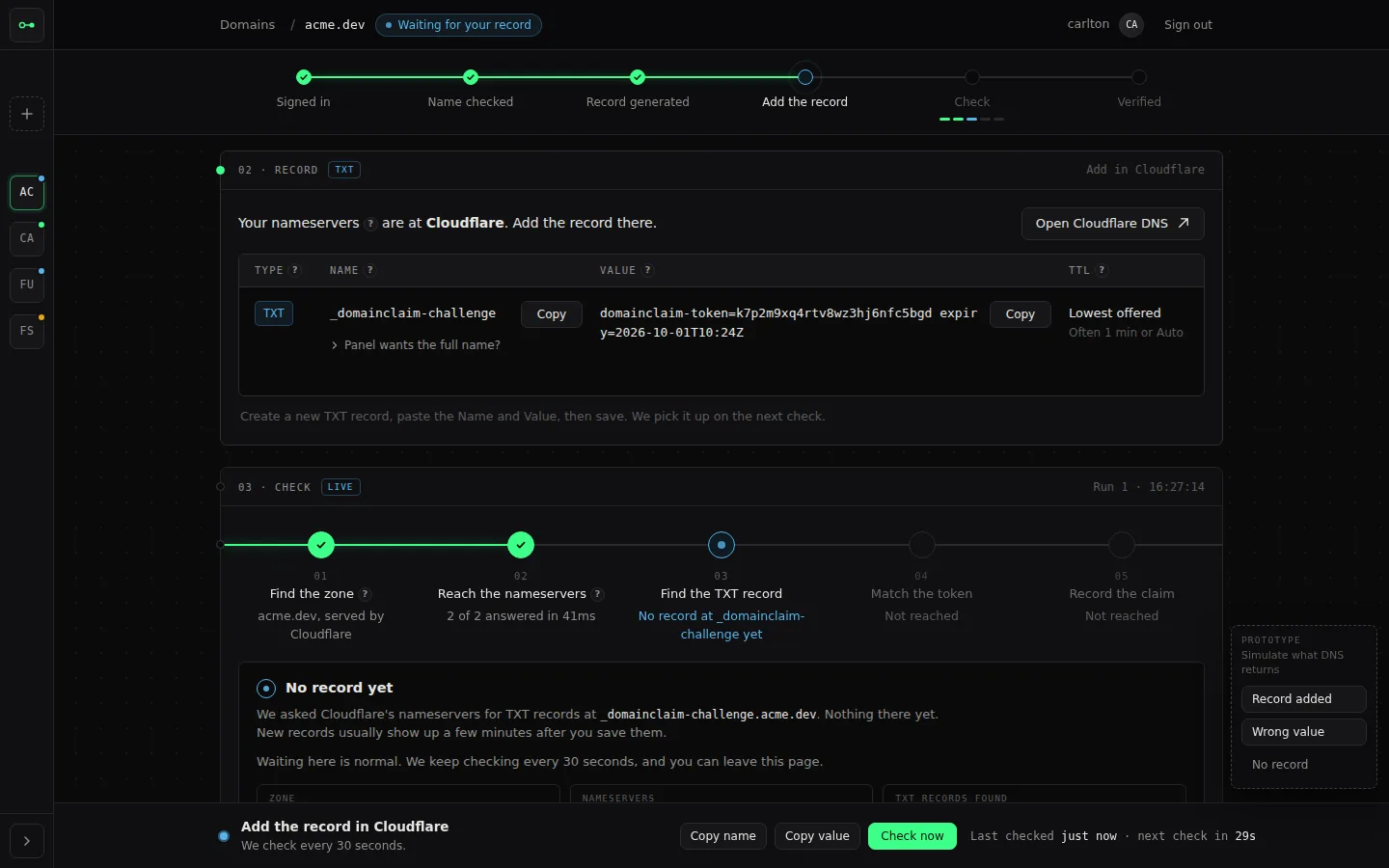
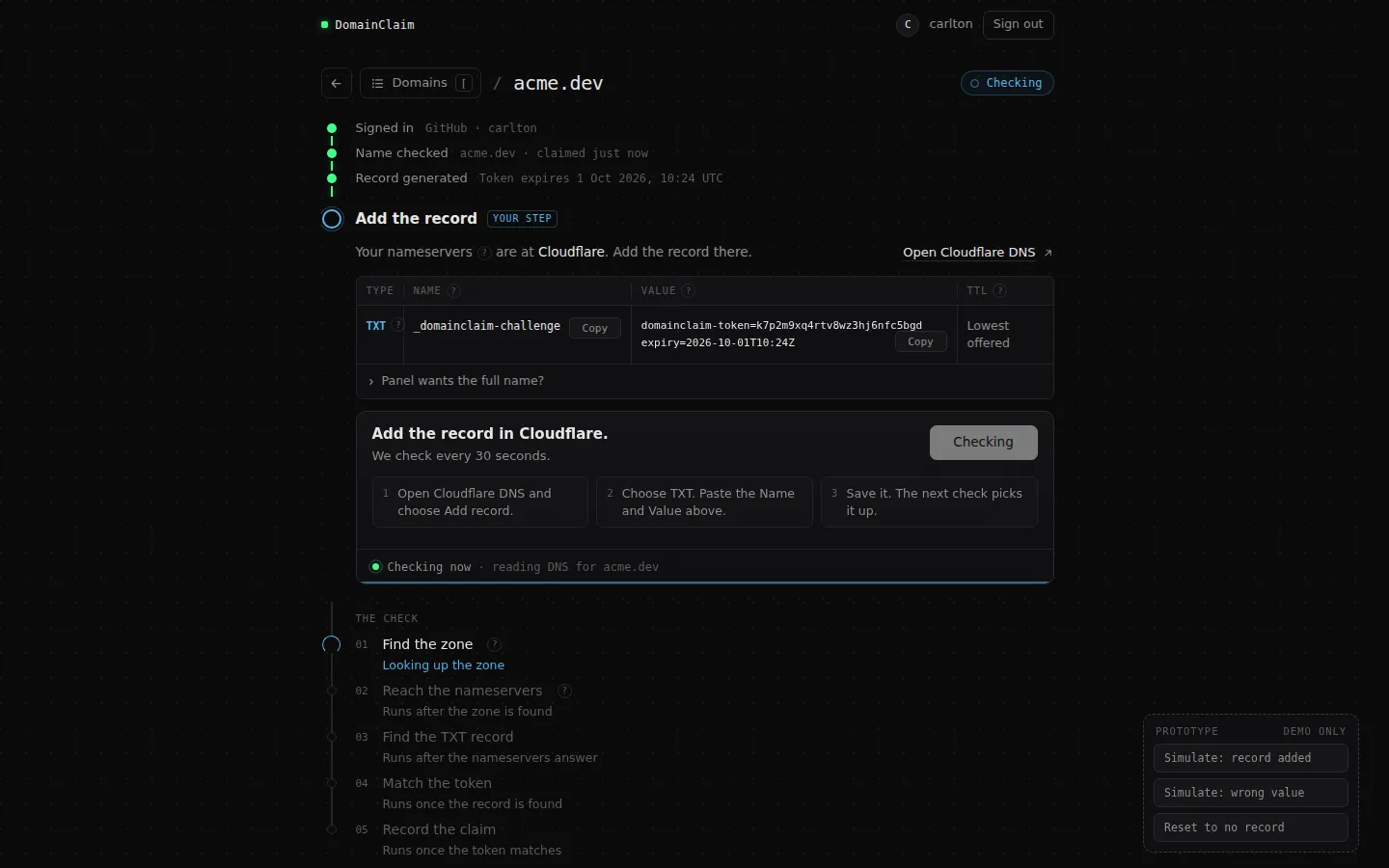
I drew three directions from how DNS fails and where the person acts or waits. The timeline won. A later version applied a whole list of changes at once and lost what made it work, so from then on each prototype changed one thing.
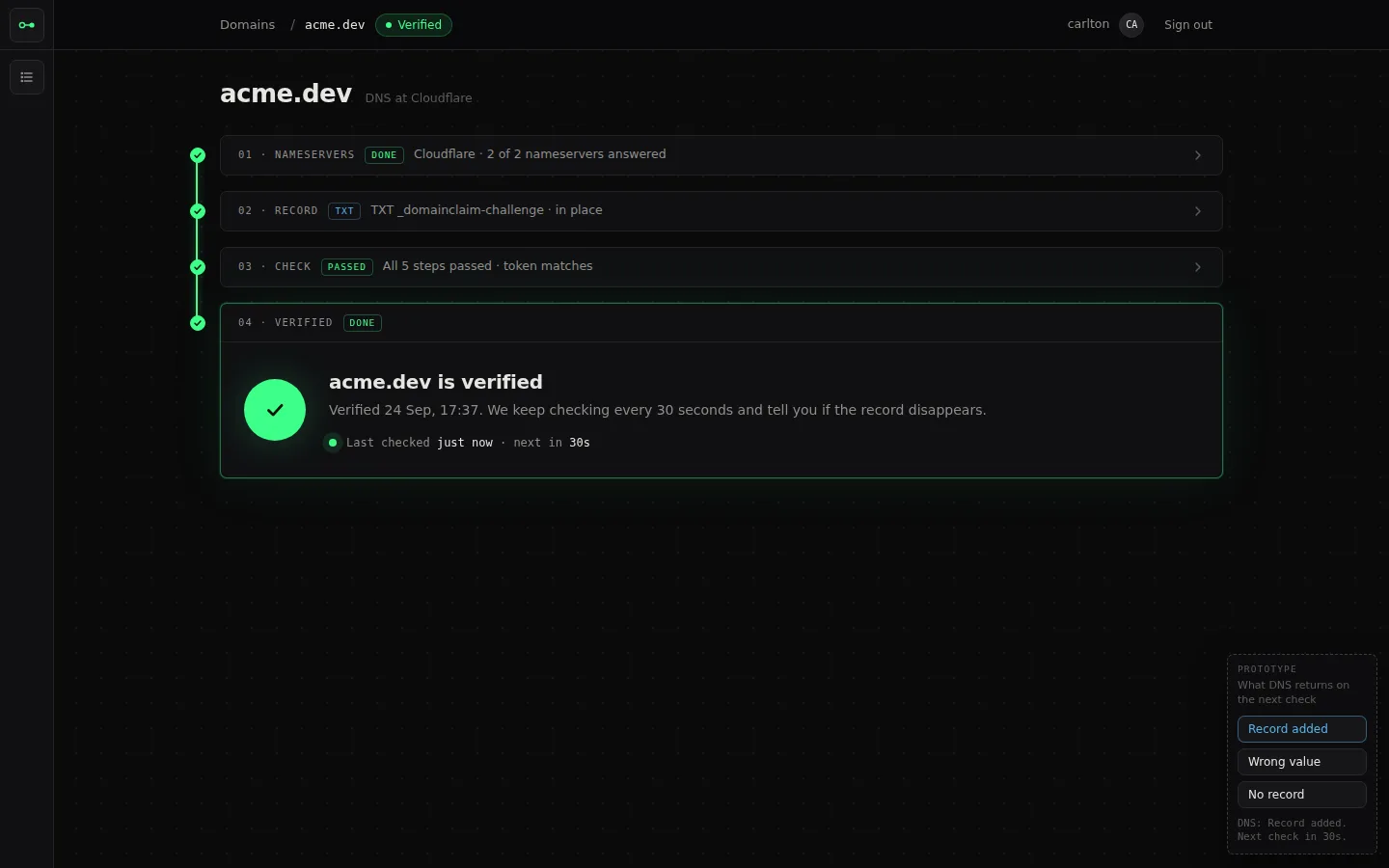
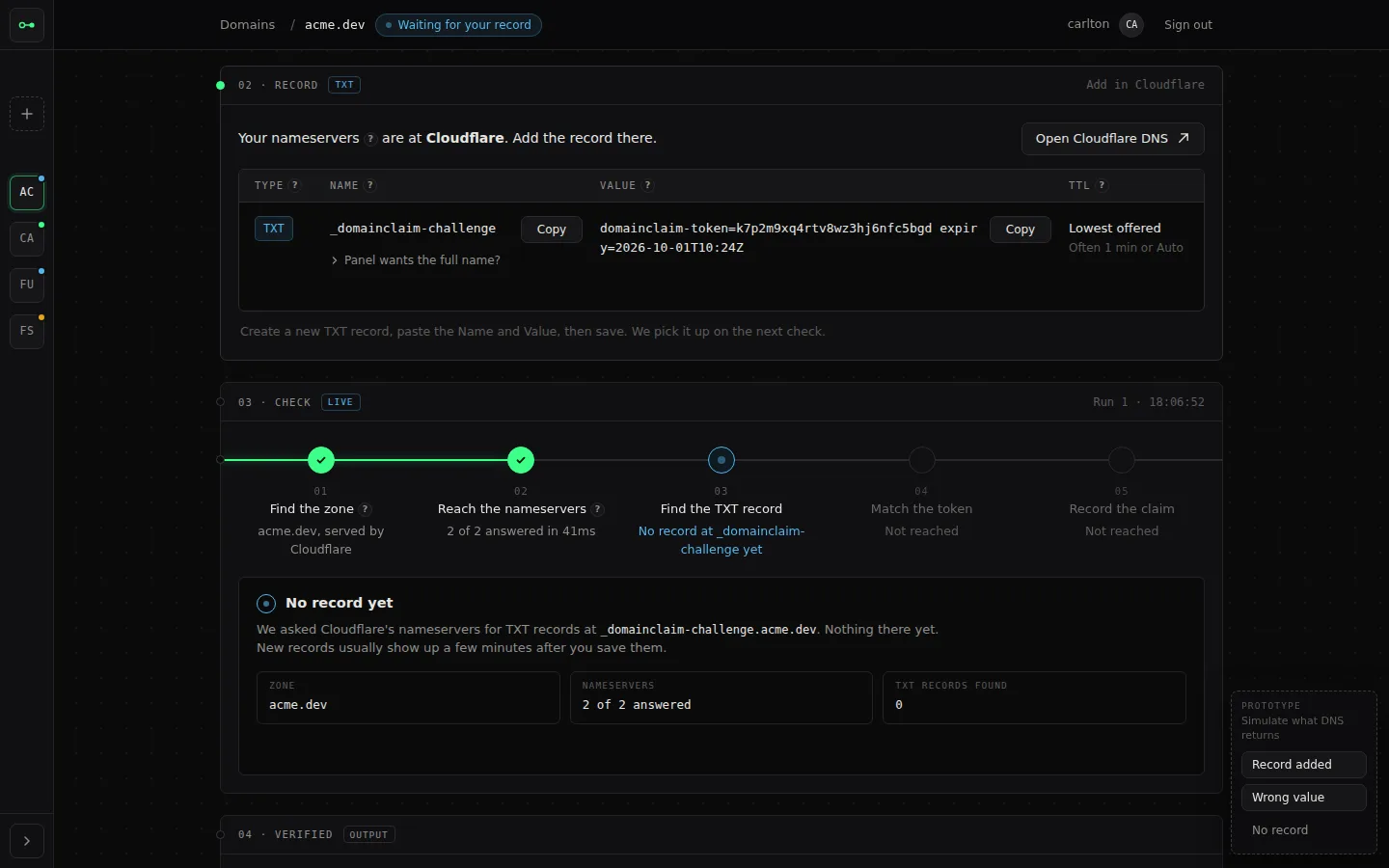
DomainClaim is live, and the demo names reach every state above. Designed and not built yet: checking on a schedule while nobody has the claim open, the grace window and the email behind it, transfers between accounts, and a second vantage point.
▸ VISIT LIVE · domainclaim-pi.vercel.app ↗